
A notification alert is an email, SMS, or push message sent because a watched condition changed, such as a new apartment listing matching your saved search. Its purpose is to bring a relevant opportunity to your attention without making you reopen rental websites to look for it.
The usual advice is to turn on notifications so you don't miss anything. For apartment hunting, that advice is incomplete. Instant delivery helps only when the apartment fits, repeated posts are removed, and you can read the message safely. Otherwise, you're replacing repetitive browsing with repetitive interruptions.
Table of Contents
- What Notification Alerts Are
- How an Alert Gets from a Listing to You
- What Makes an Apartment Alert Match
- When Faster Alerts Help and When They Hurt
- Settings That Sort Urgent from Noise
- Privacy and Access on Shared Phones
- Turn On Apartment Alerts Worth Opening
What Notification Alerts Are
A notification alert is a short message triggered by an event, rather than by your decision to check an app. The channel determines where you receive it and how much information you can comfortably review.
Email, SMS, and push alerts compared
| Channel | How it arrives | Best use for a listing | Main limit |
|---|---|---|---|
| Message in the inbox that can be reread | Full rent, address, and links | Easy to miss in a crowded inbox | |
| SMS | Text message on the phone | Fast ping while away from email | Short text, and previews can show an address |
| Mobile push | Banner or lock-screen notice from an app | Immediate alert when the phone is connected and notifications are allowed | A noisy channel gets muted |
| Web push | Browser notice from a push service | Alert even when the rental site is closed | Needs permission and can expire while the device is offline |
Receiving the message doesn't generally require keeping the rental app or listing page open. Email and SMS arrive through their respective messaging services, while mobile and web push use delivery systems that can reach beyond an active app session. Permission, connectivity, and device settings still affect what you see.
From checking a page to receiving an event
Apple introduced the Apple Push Notification Service in June 2009 with iOS 3.0, allowing third-party apps to message people while those apps weren't open, a milestone described in Business of Apps' notification overview. That change helps explain the model: the service watches for something relevant, then brings a compact message to the recipient.
The distinction matters more than the historical milestone. A saved apartment search isn't a bookmarked results page. It's a standing instruction to notify you when the service detects a qualifying change.
For a renter, that instruction might combine a rent ceiling, selected neighborhoods, and a bedroom requirement. Instead of repeatedly opening the same results page, you receive a message when the monitored inventory meets those conditions. You still decide whether the apartment deserves further attention.
A notice isn't a reservation
An alert tells you that the system detected something worth reviewing. It doesn't establish that the apartment remains available, that the advertised details are complete, or that you'll qualify to rent it.
Treat the notification as a prompt to inspect the source listing, not as a completed assessment. The message should give you enough information to decide whether opening that listing is worthwhile.
Usefulness test: Can you tell what changed, why it matters to your search, and what to do next without reconstructing the whole search yourself?
That's the practical answer to “what are notification alerts?” They're a way to move from manual checking to event-driven attention. Their value comes from delivering a meaningful change close enough to its appearance that you can act, in a format compact enough to evaluate.
How an Alert Gets from a Listing to You
An apartment alert passes through several systems before it appears on your phone. Separating those stages explains why a service can send promptly without guaranteeing that you'll see the message immediately.
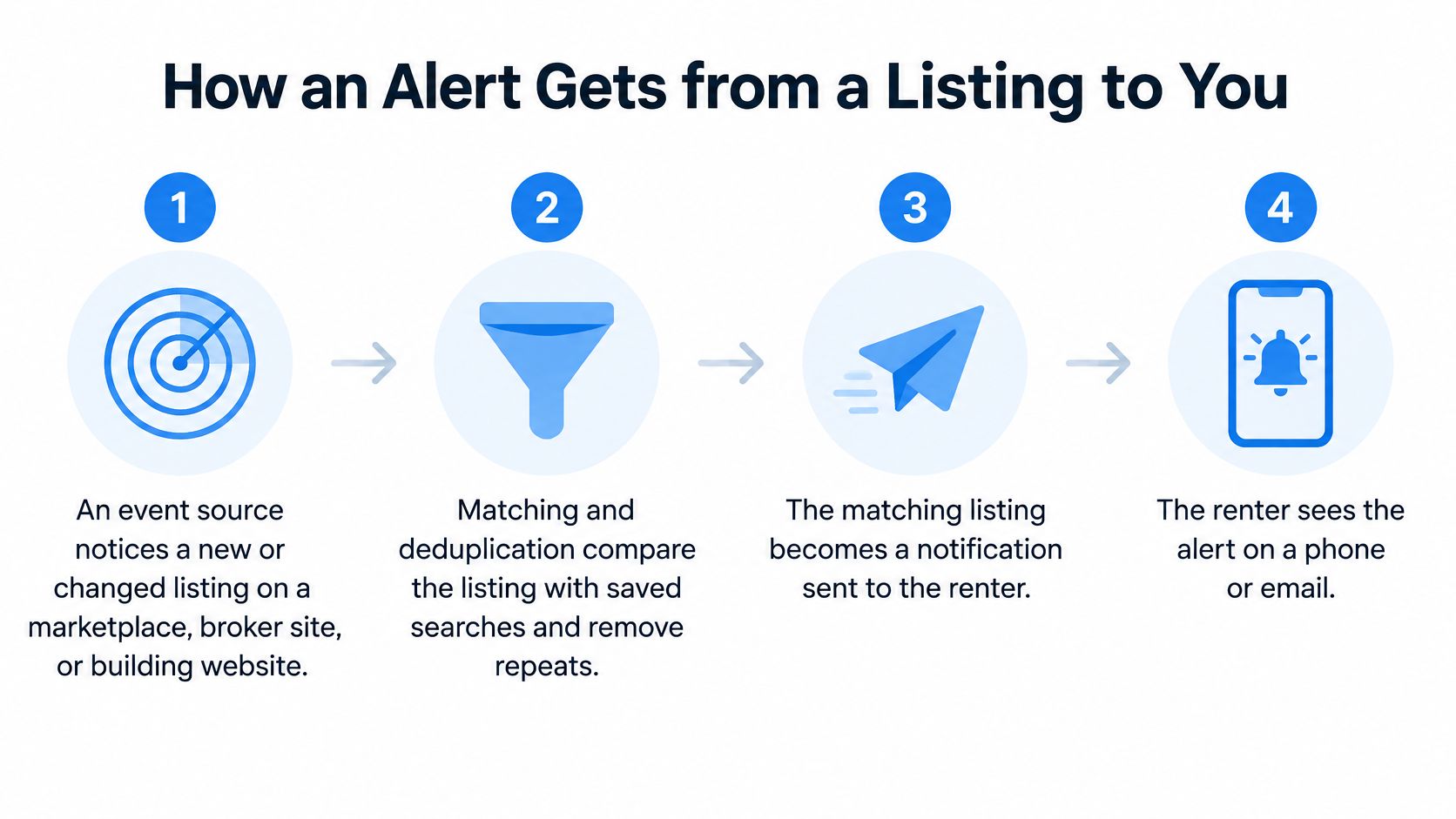
- A source changes. A marketplace, broker, or building website publishes a new listing or updates an existing one. The monitoring system must first detect that event.
- The service evaluates the apartment. It compares the listing with saved criteria and checks whether the same unit has already appeared elsewhere.
- A delivery service sends the message. The matching event becomes an email, text, or push notification.
- Your device presents it. The inbox, messaging app, or browser makes the notification available, and you choose whether to open, save, or ignore it.
A broker's listing page is a source, not automatically an alert service. For example, someone searching beyond New York can inspect Puerto Rico residential and commercial listings from Christie's International Real Estate Puerto Rico as a direct inventory resource. Whether any monitoring service watches a particular page is a separate coverage question.
Why sent doesn't always mean seen
For web push, an application server sends a message to a push endpoint. A push service can reach the browser while the rental site is inactive, then activate a background component called a Service Worker to process the event and display the notification.
The W3C Push API documentation describes the push-service architecture and its relationship to delivery controls, including secure transport over TLS, message lifetime, and acknowledgement. In plain language, the system needs rules for secure transmission, how long a message remains deliverable, and confirmation of receipt.
Time-to-live, or TTL, sets an expiry window. A short lifetime can prevent an old opportunity from arriving after a long offline period, but it can't independently determine whether the apartment has been rented. A longer lifetime favors eventual delivery, potentially at the expense of freshness.
What makes the pipeline accountable
A well-designed apartment alert should preserve the listing's source time, a stable identifier, consistently formatted rent and address, a match reason, and a deduplication key. Those fields help distinguish a new apartment from another website's copy.
The service should also record event time, dispatch time, provider acceptance, delivery status, and click time. Otherwise, it can't distinguish slow discovery from delayed delivery.
At RentReboot, when a listing matches, we run automated checks and send the alert within minutes. Our SMS apartment alert guide explains the text-message route. The system's job is detection and dispatch; your job begins with reviewing the listing and deciding whether to inquire.
What Makes an Apartment Alert Match
A one-bedroom below your budget in two chosen neighborhoods is a match. A studio across the city is a notification, not a result, no matter how new it is.
The saved search defines relevance. Turning alerts on authorizes delivery; the criteria decide which apartments deserve your attention. Every message that fires on a loose filter costs you attention without offering an opportunity.
Separate requirements from preferences
Conditions come first: anything that would make you reject an apartment outright belongs in the filter. Preferences come second, sharpening the match without widening the search past what you'd accept.
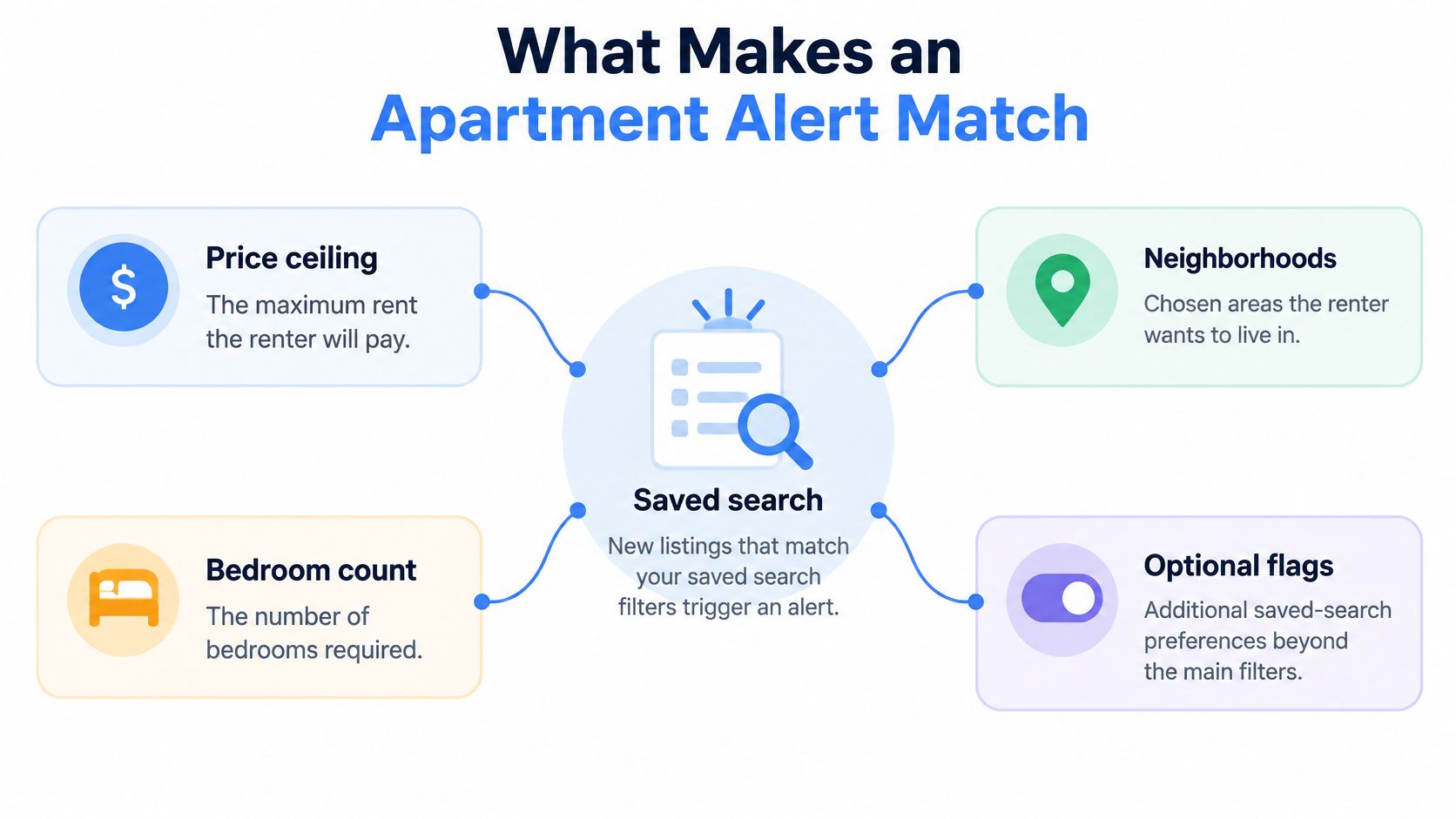
- Price ceiling: Use the rent you can pay, not an aspirational limit you'd renegotiate with every message.
- Neighborhoods: Select places you'd visit and live in. A broad geographic search is useful only if you're willing to pursue those locations.
- Bedroom count: State acceptable sizes explicitly. A service won't know whether a studio can substitute for a one-bedroom unless you tell it.
- Optional flags: Add distinctions such as potential rent stabilization, upcoming availability, or a price reduction only when they'd change your decision.
Missing information needs separate treatment. If the source doesn't state a required feature, the service shouldn't present uncertainty as confirmation.
Coverage is different from matching
A precise filter can't surface an apartment the service never sees. Monitoring marketplaces alongside broker and building websites addresses a different problem from filtering: where the available inventory is published.
RentReboot's Summer 2026 study of the New York rental market shows how uneven that coverage is. Even the largest single source left gaps, and more than half of matched apartments appeared on only one platform.
How much of the NYC rental market one site sees
| Measure | Result |
|---|---|
| Matched apartments in the study | 50,130 |
| StreetEasy share of those listings | 77.1% |
| StreetEasy as the first observed source | 69.8% |
| Apartments seen on exactly one platform | 51.3% |
Two implications follow. Searching a single site means missing apartments published only elsewhere. Speed matters too: StreetEasy appeared first for 69.8% of listings, so for the other 30.2% another source was at least as fast. Wider monitoring helps only when the service recognizes the same unit across copies instead of forwarding duplicates.
Ask whether your search covers the source types that matter in your neighborhoods, and whether the service can explain where each result originated.
The message should explain the fit
A useful match reason names the qualifying neighborhood, bedroom size, and rent rather than announcing a new listing. RentReboot alerts go further: each compares the rent with the current median for that neighborhood and size, shows where the price sits among comparable listings, how fast they rent, and the price per square foot, with walking times to trains, groceries, coffee, and parks.
A match confirms fit on paper, not suitability in person. A viewing checklist organizes that next stage; this Norwich apartment rental checklist is written for a different market, but its inspection questions transfer to any viewing. Local requirements still need local verification.
Preparation turns a match into an inquiry. We recommend having application documents ready and acting within hours of an alert, so a credible match becomes an informed response rather than a rushed one.
When Faster Alerts Help and When They Hurt
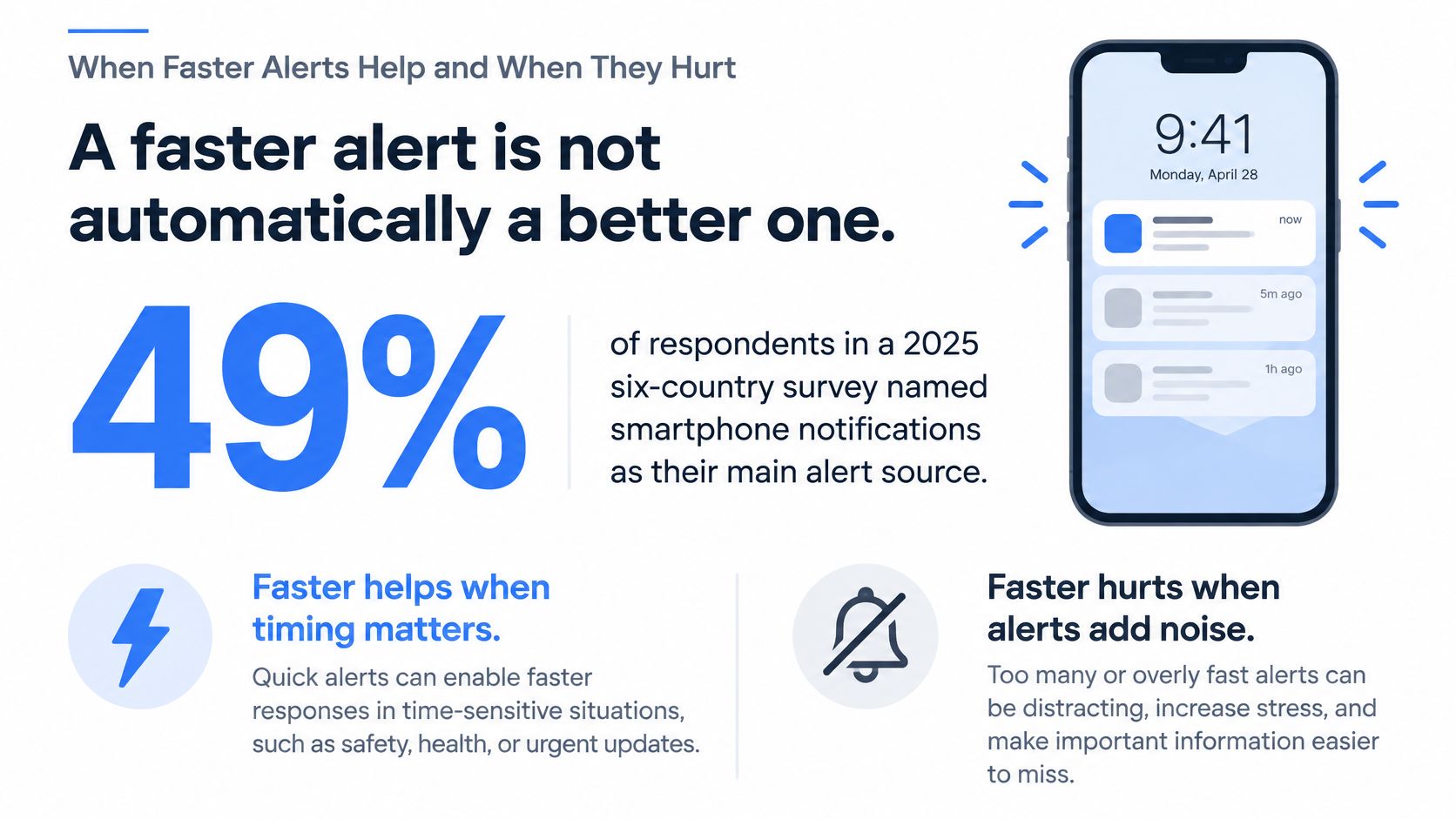
A faster alert isn't automatically a better one. In a 2025 six-country survey, 49% of respondents identified smartphone notifications as their primary focus disruptor, according to the Human Clarity Institute's focus report.
That finding doesn't measure apartment-search outcomes. It establishes the attention cost against which rental alerts must justify themselves: a message can arrive promptly and still be a poor interruption.
Where speed earns your attention
For a suitable apartment, earlier discovery gives you an earlier opportunity to inspect the details and contact the advertiser. It doesn't guarantee a showing or a lease, but it removes the need to wait until your next manual search.
The renter's benefit has distinct parts. You can see a relevant opportunity sooner, avoid repeatedly checking unchanged results, and spend less time opening apartments outside your requirements. A service that only increases message frequency may achieve none of those outcomes.
Our NYC apartment-search speed guide addresses the response side of the process. The important distinction is between being prepared to respond and feeling obliged to interrupt everything for every message.
A notification deserves urgency because of the opportunity it describes, not because the sender delivered it quickly.
How volume cancels the advantage
Consider a renter receiving weak matches, repeated advertisements for the same unit, and notices about minor description edits. Each message demands a small review before the renter can dismiss it.
Eventually, the renter may swipe away the category without reading or mute it entirely. The next strong match then arrives through a channel the recipient no longer trusts.
You can judge quality without analytics software. Look for recognizable apartments appearing only when something meaningful changes, a clear explanation of the match, and an obvious next action.
For a service operator, better measures include:
- Precision: How many delivered apartments satisfy the saved requirements?
- Duplicate rate: How often does the renter receive the same opportunity again?
- Source-to-delivery delay: How long passes between the source event and delivery?
- Downstream action: Does the message lead to an inquiry or showing request?
Send volume doesn't answer those questions. A quieter service can be more useful if it consistently identifies apartments the renter would pursue. The objective is earlier attention to worthwhile listings, not maximum exposure to rental advertising.
Settings That Sort Urgent from Noise
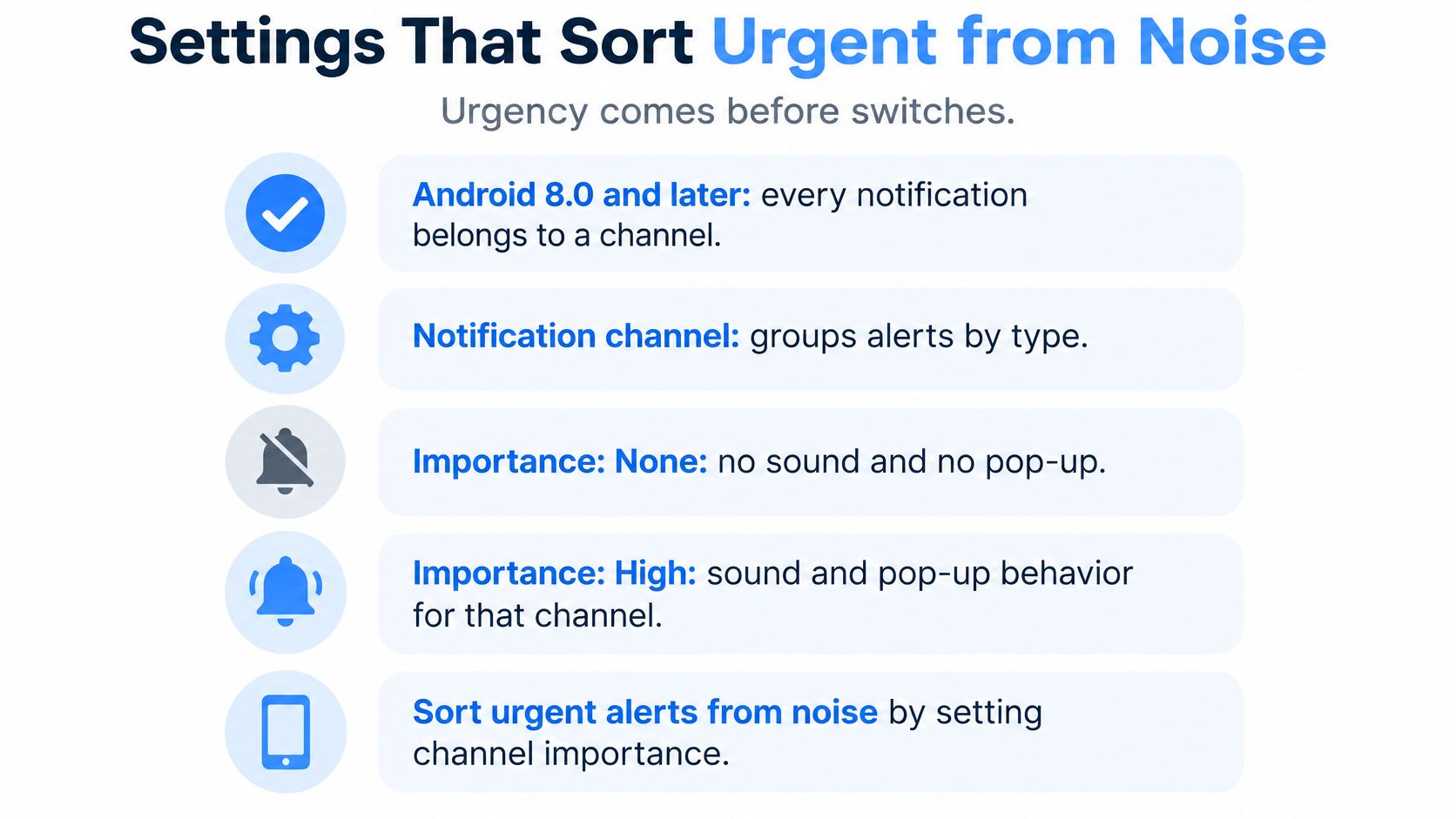
Choose the urgency of an event before choosing its sound. On Android 8.0 and later, every notification must belong to a channel, and importance ranges from none to high, controlling interruption behavior for that category, according to Android's notification documentation.
That distinction lets a service separate a newly available apartment from routine updates. Marking everything as urgent removes the distinction the renter needs.
Route the event, not just the message
The following routing rules are recommendations for protecting attention, not claims that every service offers every setting.
Which rental alerts should interrupt
| Listing event | Delivery that fits | Why |
|---|---|---|
| New apartment that fits budget, area, and size | Immediate email, SMS, or high-importance push | Earlier review creates an earlier opportunity to inquire |
| Price drop on an apartment already saved | Same-day alert or a short digest | Useful reconsideration without treating every update as a first posting |
| Same apartment already sent from another site | Suppress or quiet inbox | A repeat is not a new opportunity |
| Weak match missing budget, size, or neighborhood | Digest, or do not send | Extra noise can encourage the renter to ignore the channel |
A price reduction can deserve higher urgency if it brings a previously unaffordable apartment inside your budget. The relevant question is whether the change creates a newly actionable opportunity, not whether the source labels it an update.
Permission also matters. In its 2024 business-app benchmark, OneSignal reported average notification opt-in rates of 56.7% on Android and 46.3% on iOS. Those are business-app averages, not rental-app response rates, but they illustrate why a service can't assume permission exists just because it can generate push messages.
Choose controls that preserve the urgent category
Start with a narrowly defined search you want to hear from. Our NYC rental search filters guide can help translate housing requirements into usable criteria.
Then review the available controls:
- Channel choice: Reserve your most noticeable delivery method for events worth interrupting your current task.
- Quiet hours: Protect sleep and other periods when you won't meaningfully respond.
- Frequency cap: Prevent a burst of messages from dominating the day.
- Minimum match standard: Keep uncertain or partial matches out of the urgent category.
- Direct action: Favor messages that let you view, contact, save, or dismiss without unnecessary navigation.
Don't solve excessive notifications solely by lowering the volume on the phone. Fix the event selection when possible. Otherwise, a weak match and an excellent match remain mixed together, just at lower volume.
The strongest setup preserves a noticeable channel for listings you would seriously consider. Routine changes can remain available without demanding the same interruption.
Privacy and Access on Shared Phones
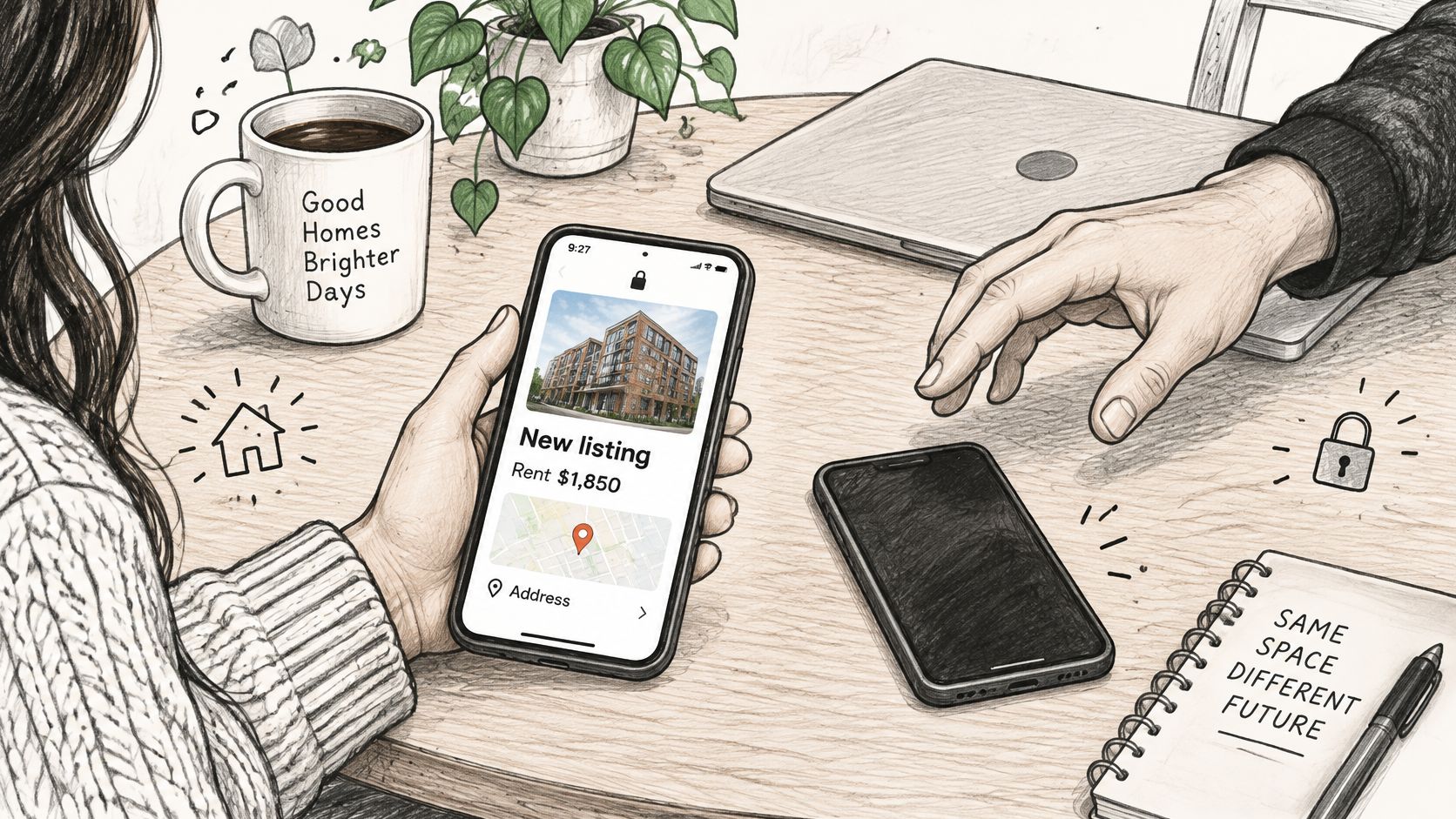
A notification can reveal housing plans before you open it. An address, rent figure, or neighborhood preference displayed on a lock screen may be visible to a housemate, colleague, or anyone handling a shared phone.
Permission to receive notifications isn't the same as informed consent to display every detail publicly. Review the preview behavior of the actual email, messaging, or rental app you're using.
Keep the interruption separate from the details
On a shared device, use the least revealing message that still lets you recognize its purpose. A brief notice that a match is available can be sufficient; the full address and search preferences don't necessarily belong in the preview.
- Hide previews: In device notification settings, conceal message content on the lock screen or restrict previews until the phone is accessible.
- Keep details in a protected inbox: Use email for the fuller listing, while also checking that the email app doesn't expose its content in previews.
- Use SMS as a short ping: Where configurable, keep the text minimal when other household members use the phone.
Delivery must also be understandable
A 2025 study of 65 participants with diverse disabilities examined requirements for inclusive emergency mobile apps, as described in the Universal Access in the Information Society article. Emergency communication isn't apartment hunting, but accessibility questions about perceiving and interpreting messages are relevant to both.
For apartment alerts, use plain wording, descriptive links, and screen-reader-compatible email. Don't put essential rent or address information only inside an image. Multilingual households also need clear wording that doesn't rely on unexplained abbreviations or ambiguous translations.
An instant alert fails its purpose if the recipient can't perceive it, understand it, or open it safely.
Control should extend to ending the stream. Every RentReboot alert includes a link to change the criteria or stop alerts; renters enter an email address and manage the search through that private link without creating a password.
Treat that management link as private access information, not something to post publicly. The practical standard is straightforward: you can read the message, act on it, and keep sensitive details off screens other people can see.
Turn On Apartment Alerts Worth Opening
Before enabling apartment notifications, make these checks:
- Write an actual search: Set a realistic budget, a short neighborhood list, and an acceptable bedroom count.
- Assign urgency deliberately: Use your fastest channel for newly actionable apartments that satisfy those requirements.
- Exclude avoidable interruptions: Keep repeated posts and marginal matches out of the stream you rely on for immediate decisions.
A useful setup doesn't require an elaborate dashboard. It requires a clear agreement between what you're willing to rent and what the service will send.
Make the first message actionable
Fiona set up our alerts for studios and one-bedrooms in her target neighborhood, and listings reached her inbox as soon as they were posted. The useful part of that example is its specificity: she defined acceptable apartment sizes and a location before receiving messages.
Setting up free alerts takes about 60 seconds, and no credit card is required. Delivery by email or text follows the schedule of the renter's plan, so choose the arrangement that matches how you review opportunities.
The same discipline applies when considering ordinary market-rate apartments, potential rent-stabilized units, upcoming apartments, or price reductions. An additional listing category should refine your search, not become a reason to accept irrelevant messages.
Before switching alerts on, prepare the documents you'd need for an application and decide how you'll evaluate a promising listing. If other people use your phone, check what they can see before the first message arrives.
Write the criteria first. Then use notifications to identify apartments worth reviewing, rather than letting incoming messages define what you're looking for.
RentReboot monitors rental listings from marketplaces, brokers, and building websites and sends email or text alerts when apartments match your saved search. Visit RentReboot with your budget, neighborhoods, and bedroom requirements ready, then set up a search whose messages you'll have a reason to open.